About HMW

This blog is about Security Researching, Facebook Hacking, Twitter Hacking, Website hacking, WhiteHatacking, Defacing, XSS Tutorials, CSRF attacks. Security at its best.

author
Showing posts with label Password Tricks. Show all posts

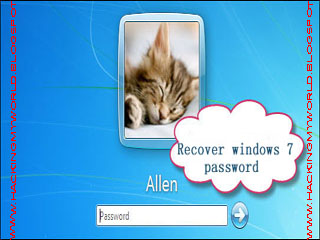
How to recover Windows 7 Administrator Password.

Leave a Comment


Hi friends. Actually i'm posting this up here because some so called "Teachers" have challenged me at my school that hacking in to Windows 7 Administrator Enabled computer is not possible, but yeah Nothing is impossible. So i just came up with a way which is Guinine , Legal and Ethical too. This is a small tool called Anmosoft, which allows you recover your windows 7 administrator password using a CD / DVD or USB flash drive. So lets get going, This is how to recover your windows 7 password.

Process:


  • Download ANMOST from here. Free
  • Run the programme and select the option where you wanna burn Anmost. I would prefer burning it into a USB flash drive as its far too fast and easy.

  • Click yes to continue burning.

  • Now go to the locked computer and set it to Boot from the CD / DVD or USB flash drive as per your wish using the BIOS menu.

  • Let the program start, after it starts select the OS for which you wanna crack the password.

  • Now select the Account for which you wanna crack the password.

  • Now wait some 5-6 seconds. After the process is complete, take out the CD  / DVD / USB and re-boot your computer. You will be able to log in without any password.


Please leave feedback gyes. Its Impotrant.
Read More

How to Send password Protected Email.

Leave a Comment
Hi Friends. Well today i'm back with yet another old but Needy and Unknown Way to Password protect your Emails. Now many of you may wonder why do we need to password protect our E-mails ? Well There are many reasons. one of them being that if you send a very confidential or personal e-mail to someone and if his E-mail Id gets hacked then all your valuable data or emotions will be on the hackers hand. so here today i'm gonna post how to password protect your E-mails While sending them.

Process:

  • Visit the Lockbin website by Clicking Here.
  • fill in the below form with the password you wanna set for your E-mail.
  • In the Text Field Write You valuable message.


  • click on Submit 
  • The Receiver gets a Link in his inbox.
  • Done. Now when the Recipient gets the E-mail He'll need to click on the link and enter the password or else the mail will not be disclosed !


  • Hope It helped You. Please Leave Comments.
Read More

A perfect paasword hacking Tool!

Leave a Comment

Gyes What this tool does is listed below. Now after reading the list you must try this tool out. And leave comments plz. 

Capability of the tool :
  • PDF Password Remover
  • Windows XP Admin Password Remover
  • Zip File Password Cracker.
  • SQL Password Remover
  • Microsoft Office Password Remover.
  • Microsoft Windows Vista Password Remover.
  • Rar File Password Cracker
  • Windows Password Recovery Kit
  • Password Changer.
  • Distributed File Password Recovery..

So Download from here Download Paasword hacker


In case of any malfunction feel free to contact me! 

Read More

Wanna Know The Password Behind the ( ******* ) ?

Leave a Comment
Well.......dont know about you gyes. But it had happed many times wid me. When i fo to the cafe, I suddenly find somone's password typed in his / her gtalk account. Well Any site doesn't allow coping passwords. So i found this trick out. You can just Get the words below the starts in no time. Here's the simplest trick to do so.

1. Just Login into the site.  yahoo or gmail or anything else.
2. Type ur ID and password.............or if u r hacking someone's ID then the password will be typed there already. 
3. Copy the below JAVASCRIPT code and paste in ur adress bar and press Enter. 


javascript: alert(document.getElementById('Passwd').value);


Lolz the password is displayed!! Enjoy .
Read More

Crack BIOS Password

Leave a Comment

Don't Believe me? But its TRUE! You can Crack The BIOS password Within no time without Any special Abilities.I'll give u the process straight foreword without much chat. Here's How:


1. Go to Start>>>Run>>>And type " cmd ".
2. Type " debug " at the promt.
3. Type the Below lines just as they are:
                          o 70 10
                          o 71 20
                             Quit
                             Exit
4. Exit from the DOS PROMT and Restart.


And Wow Password Protection Gone!!! Now believe me?? 
Read More

Forgot Your Login Password? Or Hack into Any PC without a Password!

Leave a Comment
hi! Actually I our new teacher taught this on the first class that he had with us! Suppose you forgot your password, Or you wanna break into the USer account of your brother or Sister! So What to do..
Here's what to do:

Let the computer start normally.
When Asked for a PAssword.........Press ctrl+alt+del
Now in this New Window enter these Details.
Username: Administrator
Password: Blank.


And lol The system starts without a password! Is'nt is nice. Feel free to ask questions or leave comments.
Read More

How To Password Protect Documents In Microsoft Word 2003 And 2007

Leave a Comment
Password Protect Your Documents!
                                                           In Microsoft 2003 it's quite easier than 2007 to password protect any document. Although it's not very tough in 2007 either. i'm providing this tutorial cause many of you may store your e-mail ID's and passwords in word, So of course password Protection is necessary.
If You are a WORD 2003 User;
1. Go to tools,
2. Options
3. Password
4. And create a password for your document.


If You Are a 2007 User:
After editing the document is complete,
Go to 
1. Save As
2. Click Tools, and then click General Options.


3. Create the password. You are done.!


Read More

Create a password protected Folder on Your System.

Leave a Comment
Create A PASSWORD PROTECTED Folder:


So you want hide something on your system, and dont wanna pay for a new software. I also wanted it some time back, so found this trick out.
Process:

Step-1: Create a new folder (Right-click -> New -> Folder) and give it any name of your choice. For instance I name it as ABC.
Step-2: Now in this folder place all the important files, documents or any folders that you want to password protect.
Step-3: Now Right-click on this folder (ABC) and select the option Send To ->Compressed (zipped) Folder.
Step-4: Now a new compressed zipped folder gets created next this folder (ABC) with the same name.
Step-5: Double-click on this compressed zipped folder and you should see your original folder (ABC) here.
Step-6: Now goto the File menu and select the option Add a password.
ie: File -> Add a password
Now a small window will pop up and here you can set your desired password. Once the password is set, the folder will ask for the password every time it is opened. Thus you have now created the password protected folder.

Making It INVISIBLE.

Step-1: Now Right-click on this password protected folder and select Properties.
Step-2: At the bottom select the option Hidden and press OK. Now your folder gets invisible (hidden).
Step-3: In order to unhide this folder go to My Computer – >Tools -> Folder options. Switch to View tab, scroll down and under Hidden files and folders you’ll see the following two options
  • Do not show hidden files and folders
  • Show hidden files and folders
Now select the second option and press OK. Now the invisible folder becomes visible in it’s location. To access it you need the password. To make it invisible again repeat step -1 through step-3 and select the first option and click OK. Now the folder becomes invisible once again.
Please pass your comments.


Read More

Access anyones PC without knowing his password.

Leave a Comment
Break into any PC in just 2 seconds.>


1. Let the pc start normally.


2. When Asked For A password, Press  ctrl+alt+del.
3. In the new screen that appears input the below data.:
    Username: Administrator.
    Password: blank.
4. Your PC will be unlocked in 2 seconds.

A little Longer process........


start the pc.
when the pc is booting. ( starting ). press F8.
you will be directed to " safe mode"
now let the pc start.
Go to start menu.
control panel.
user accounts.
now choose the original account, that ur friend or parents or anyone else have.
choose remove password.
reboot ur pc, or log on to that user, and u r done.
His whole system at your fingertips.


Read More
Powered by Blogger.